Best AI Video Editor for YouTubers in 2026: What It Should Do
YouTubers need two things from an AI editor: a better long video and a stream of shorts that brings people to it. Most tools only do one of the two.
The long video
- Visual support at the right moment: numbers, charts, maps, chapter titles
- Your own B-roll placed where it fits
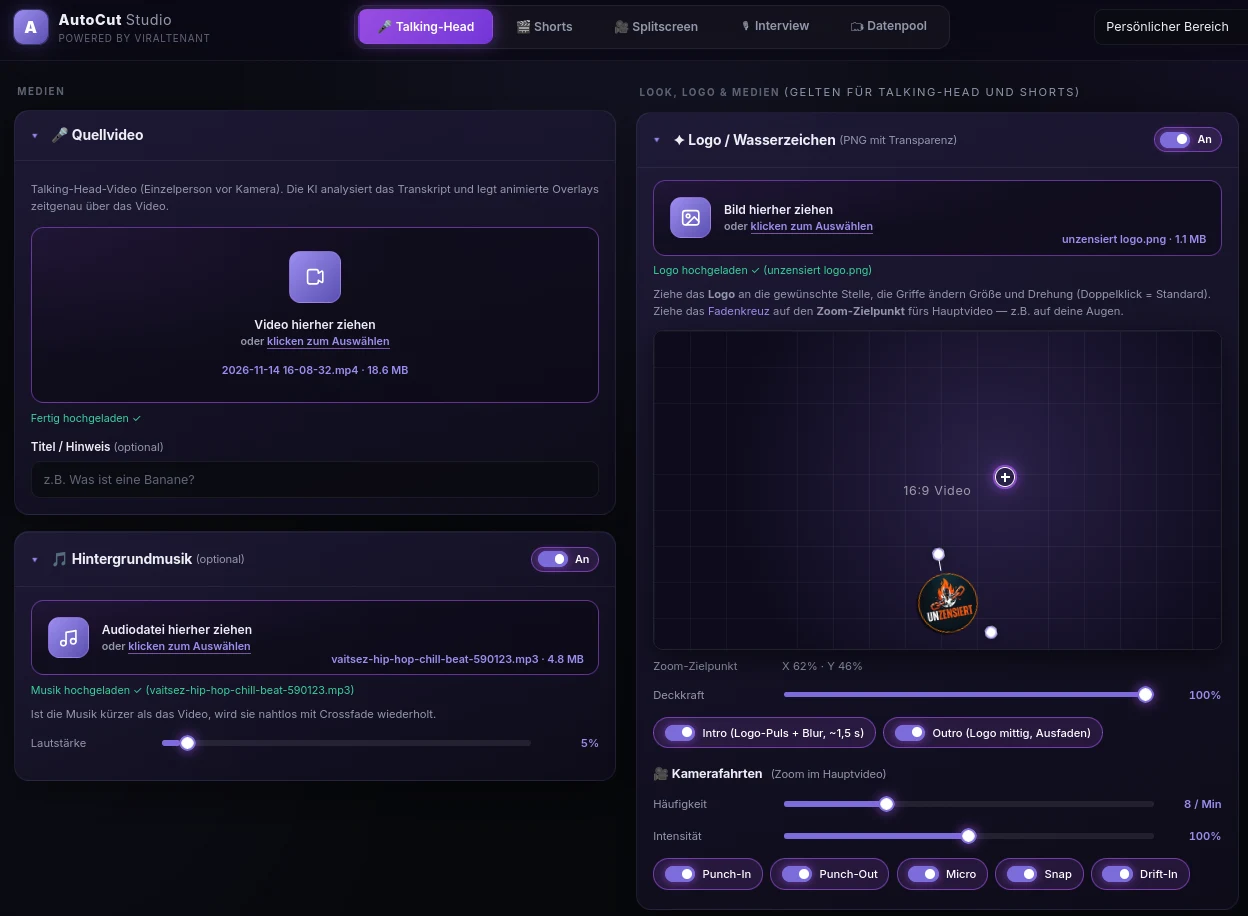
- Logo, intro, outro and music
- A smooth render, AutoCut Studio renders 16:9 at up to 50 fps
The shorts
- Up to 10 shorts from one video, 15 to 240 seconds each
- Hook title and word-by-word captions
- Live 9:16 preview to place every element
Formats beyond solo videos
- Interviews with two cameras, cut by speaker
- Reactions and splitscreens in 16:9 or 9:16
- Remote guests with VT Live Studio
Billing that fits YouTube schedules
Uploads come in waves. AutoCut Studio is pay as you go: no monthly plan, credit never expires and failed jobs are free.
See how other tools compare in Best AI Clipping Tools 2026.
Edit your next YouTube video
Sign in with Google or email. Free starter credit, no credit card needed. Same account as ViralTenant.
Frequently asked questions
Can AutoCut Studio edit full YouTube videos, not just shorts?
Yes. The talking-head editor delivers the edited 16:9 video with overlays, logo, intro, outro and music.
Do I need a powerful computer?
No. AutoCut Studio runs in the browser and renders on our servers.