AI Clipping in 2027: What to Look for Before You Pick a Tool
Short-form video keeps growing, and so does the number of AI clipping tools. If you are setting up your content workflow for 2027, these are the questions worth asking before you commit to a yearly plan.
1. Do you really need a yearly plan?
Most clipping tools are sold as monthly or yearly subscriptions with a credit quota. That is fine if you upload the same amount every month. If your output changes with seasons, launches or your schedule, unused credits are money lost. AutoCut Studio is pay as you go: you only pay for jobs that are actually finished, and your credit does not expire.
2. Does the tool understand your format?
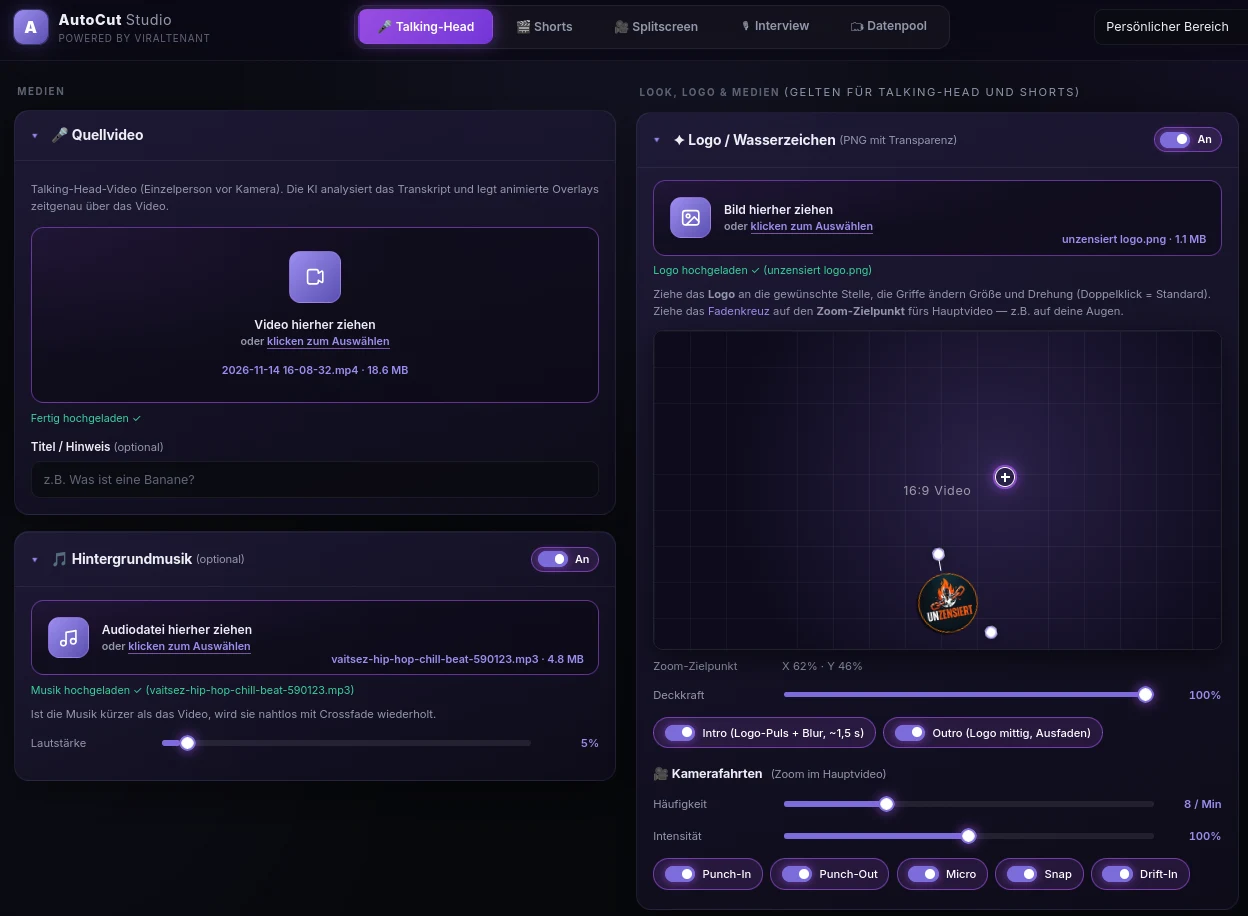
A gaming stream, a podcast and a talking-head video need different edits. Talking-head content benefits from on-screen numbers, charts and chapter titles. Interviews need a cut that follows the speaker. Reactions need a clean splitscreen. Check whether the tool handles your format, or only finds clips.
- Talking-head: AI overlays (numbers, charts, maps, chapter titles, marker underlines), logo, intro, outro and music
- Podcasts and interviews: multicam cut by speaker, head-centred 9:16 framing
- Reactions: two videos side by side or freely arranged, synced by audio
3. How much control do you keep?
Fully automatic is great until the AI puts a caption over your face. Look for a live preview of your shorts and switches for every effect. In AutoCut Studio you place logo, overlays and captions in a 9:16 preview and switch captions, punch-in zoom, progress bar and sound accents on or off per job.
4. What happens when a job fails?
Rendering long videos can fail, for example because of a broken upload. Ask whether failed jobs are charged. In AutoCut Studio the credit is only reserved at the start and released again if the job fails.
5. Where does the video go next?
A clip is only useful once it is published. AutoCut Studio uses the same account as ViralTenant, where you can crosspost to 14 platforms from your own creator site.
A short checklist for 2027
- Billing that matches your output (subscription vs. pay as you go)
- Long-form edit and shorts in one workflow
- Multicam and splitscreen if you record with guests
- Live preview and switches for every effect
- No charge for failed jobs
For today's tools and their pricing models, see Best AI Clipping Tools 2026.
Sign in with Google or email. Free starter credit, no credit card needed. Same account as ViralTenant.
Frequently asked questions
Will AI clipping tools still need subscriptions in 2027?
Many tools are sold as subscriptions today. AutoCut Studio already works without one: you pay per finished job.
What matters most when choosing an AI clipping tool?
A billing model that fits your output, support for your format (talking-head, podcast, interview, reaction) and control over every effect.